[Free eBook] Ask A Marketer: Lindsey’s Guide to Hiring A Marketing Consultant

Get Your Free Copy HERE and feel free to share. Enjoy!

Get Your Free Copy HERE and feel free to share. Enjoy!
Livescribe and Fluid Touch announce partnership to bring handwritten notes from paper into leading iPad productivity app
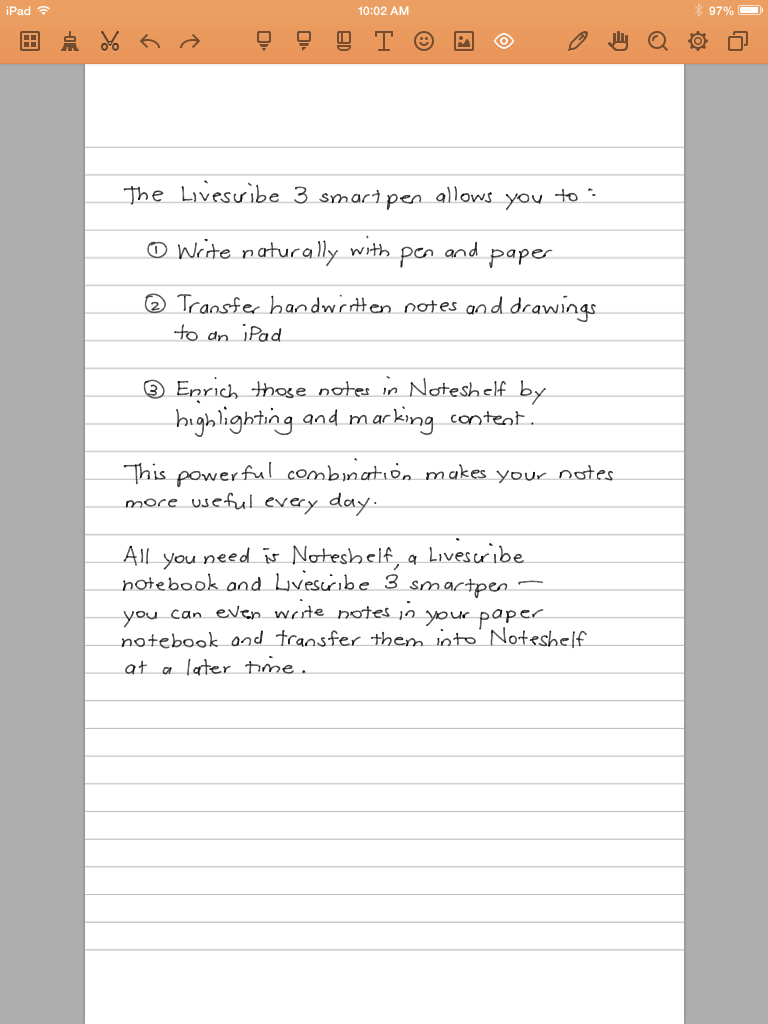
Livescribe and Fluid Touch announced today that Noteshelf now allows people to write naturally with their Livescribe 3 smartpen and see their notes instantly appear in the popular note-taking app. Today’s announcement builds on recent partnerships with Evernote, Microsoft OneNote and Moleskine notebooks.
With the Livescribe 3 smartpen, a Livescribe notebook, and Noteshelf, users can create notes, documents, and doodles naturally with ink on paper, and continue working on them on their iPad. Users can enrich their notes by highlighting and marking content as well. Users can even assign certain notebooks to send off-line notes into Noteshelf once they reconnect to the Noteshelf app. Once in Noteshelf people can make their notes even more useful with a wide variety of tools. Noteshelf is the latest app to leverage Livescribe’s mobile SDK incorporating native handwriting support.
Once in Noteshelf users can make their notes even more useful with a wide variety of tools. Noteshelf is the latest app to leverage Livescribe’s mobile SDK incorporating native handwriting support.should update their copy of Noteshelf to version 9.0, then go into the Noteshelf Store while connected to the Internet, and select the free Livescribe Sync Pack to add support for their Livescribe 3 smartpen. Once installed, customers tap the smartpen icon to add their handwriting to Noteshelf.
Interested in checking out the app with smartpen support early?? Shoot Lindsey a tweet. We have one free code.
About the Livescribe 3 smartpen
The Livescribe 3 smartpen is a writing solution that bridges both physical and digital note-taking by making handwritten notes more useful and actionable on an iOS device. The company’s mobile SDK is available to select developers and Livescribe welcomes developers to apply for access to the SDK by emailing developer(at) livescribe.com.
For more information on Noteshelf and Fluid Touch, please visit www.noteshelf.net and www.fluidtouch.biz.
Evernote also announced Scannable, a new stand-alone iOS application that makes transforming paper to digital using the camera on your phone or the ScanSnap Evernote Edition scanner a one-tap experience. The company also announced a redesigned Penultimate handwriting app, a fully re-imagined web client, enhanced presentation mode features, and several new physical products for the Evernote Market.
The Evernote Blog has full details of all the announcements made today at the Evernote Conference. The conference continues at Fort Mason in San Francisco through the end of the day Friday. To download the latest Evernote has to offer across all of your devices, please visit www.evernote.com/download.
Evernote released two major new features today to help you drive a ‘more efficient, informed, and collaborative workflow.’ Among several announcements made at the opening keynote of the fourth annual Evernote Conference in San Francisco, Evernote detailed the new Context and Work Chat features, both forecasted to launch in 2014. They announced two work-focused features coming to its apps this fall: Context and Work Chat, as well as a partnership with Dow Jones. Context, will allow ‘contextually relevant content’ from The Wall Street Journal and the Factiva media service to be displayed within Evernote. Context also integrates with LinkedIn in an effort to further an earlier partnership with Evernote.
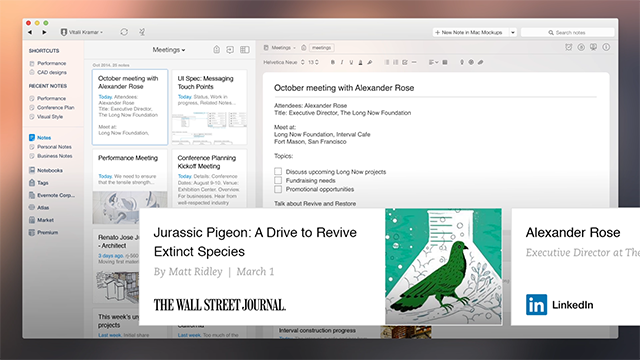
The Evernote family of apps works to create a central workspace across every major desktop, mobile, and tablet platform to ‘provide a single, automatically synced digital space for writing, collecting information, and presenting work for fast, effective, real-time collaboration.’
According to CEO, Phil Libin, “Most of the software and apps we use for work today are based on metaphors that were created decades ago. It’s time to move on from those dated concepts. Evernote represents a significant leap forward in workplace productivity software. With it, your work is created collaboratively and in the context of a wealth of knowledge. You’ll never work in a vacuum again.”
Core Features Announced at #EC2014
Context
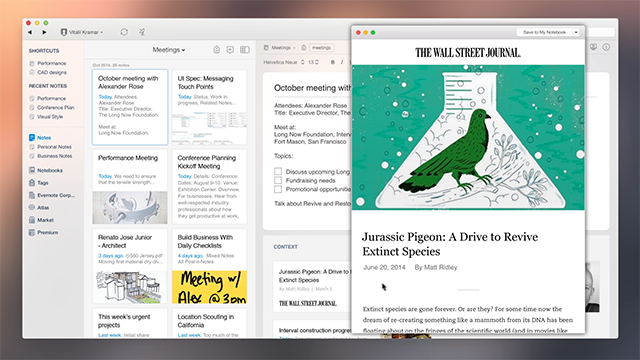
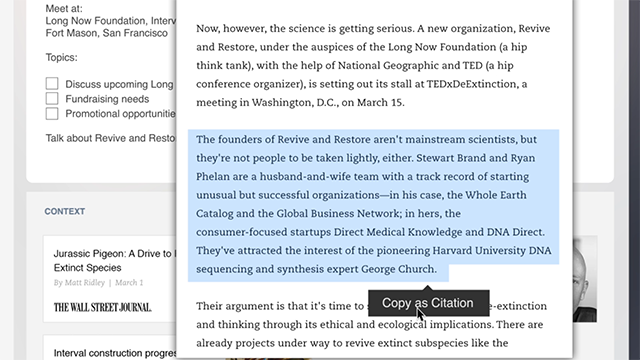
Context displays information immediately relevant to work as it’s being done in Evernote. The new feature dynamically shows related past work, information a colleague may have on the topic, and soon, contextually relevant, recent articles from outlets and services such as The Wall Street Journal, Fast Company, TechCrunch, CrunchBase, Inc. Magazine, LinkedIn, and others. For teams using Evernote Business, content from Factiva, the Dow Jones premium media aggregation service, will also be displayed.
Context is expected to launch on all major Evernote platforms (Android, iOS, Mac OS, and Windows) this year.
Work Chat
Work Chat will enable quick and effective sharing, communication, and collaboration between individuals and teams. By eliminating the need to leave what an individual is working on to email or use an instant messaging client, Work Chat lets Evernote users share thoughts, ideas, references, and resources instantly without experiencing an interruption to their workflow. Messages, notes, and notebooks are shared directly in Work Chat, so reference materials are simple to open and respond to.
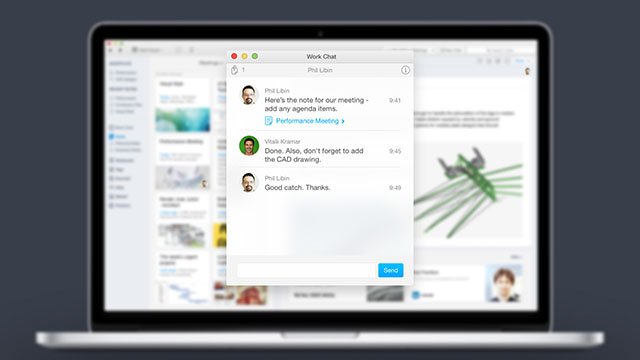
Workchat on Desktop
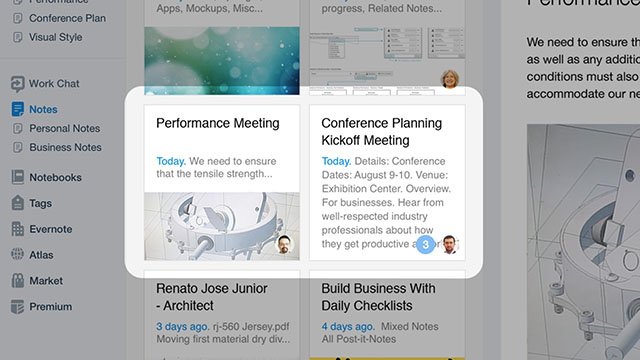
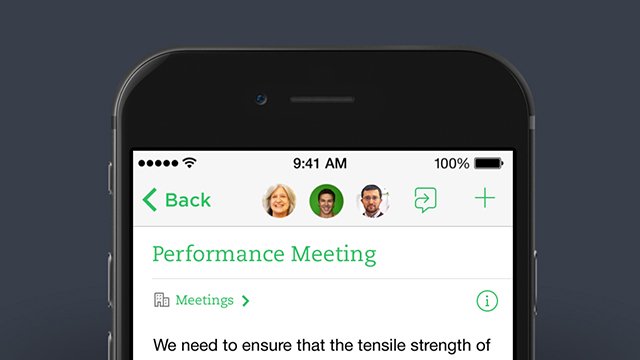
Chat Heads tell you who is currently viewing your note.
Mobile also includes chat heads.
Workchat is integrated with iOS Messages to easily share notes through messages.

Work Chat will be supported on Android, iOS, Mac OS, and Windows and will be available in late 2014. For more information about Evernote and its products, visit www.evernote.com.

We are building for tomorrow because tomorrow is the future and we want to make a contribution to the wonderful digital age that is awaiting us.